
Set Up 24/7 Phone Support
Create an AI agent that answers customer calls around the clock.Time: ~15 minutes
Difficulty: Beginner
Prerequisites: Agntic account, approved agent
Difficulty: Beginner
Prerequisites: Agntic account, approved agent
What You’ll Build
A complete phone support system:- AI agent trained on your FAQs
- Dedicated phone number
- 24/7 availability
Create a Support Agent
If you don’t have an agent yet, recruit one with Tenma.Tell Tenma:
- “I need a customer support agent”
- Your business hours and policies
- Top 5-10 FAQs customers ask
Add Phone Channel
Go to your agent → Settings → Add Channel → PhoneChoose a Local number (Australia). This is the number type currently available on Agntic.
Confirm Your Channel
Once added, your Channels tab shows the phone number as Active. Your worker begins answering calls immediately.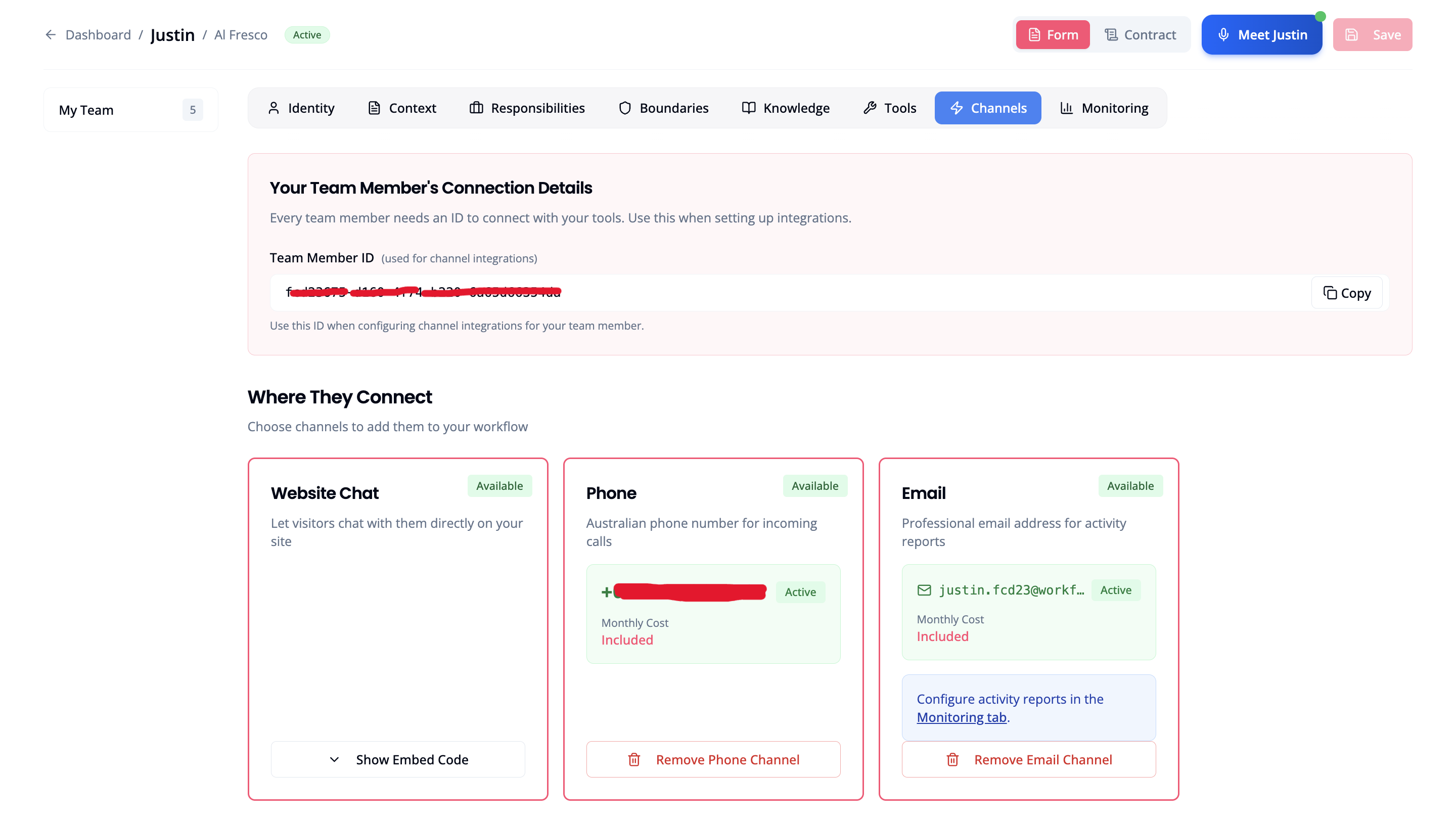
Configure Greeting
Set how the agent answers:
“Thank you for calling [Business]. How can I help you today?”
Test the Number
Call your new number from your phone.Ask questions your customers would ask. Make sure responses are accurate.
Best Practices
Set expectations
Set expectations
Let callers know they’re speaking with an AI assistant if required by your industry.
Have a human fallback
Have a human fallback
Configure voicemail or transfer for complex issues the AI can’t handle.
Monitor and improve
Monitor and improve
Review call logs weekly. Update agent knowledge based on common questions.
What’s Next?
View Usage
Monitor your agent’s activity
Edit Agent
Customize your agent’s personality